Marble Race Giveaways for Twitch and OBS
For streamers running giveaways
Turn a giveaway into a race chat can cheer for, right on your stream, with live standings and a photo finish.
Want more giveaway ideas? The fair giveaway guide
See It in Action
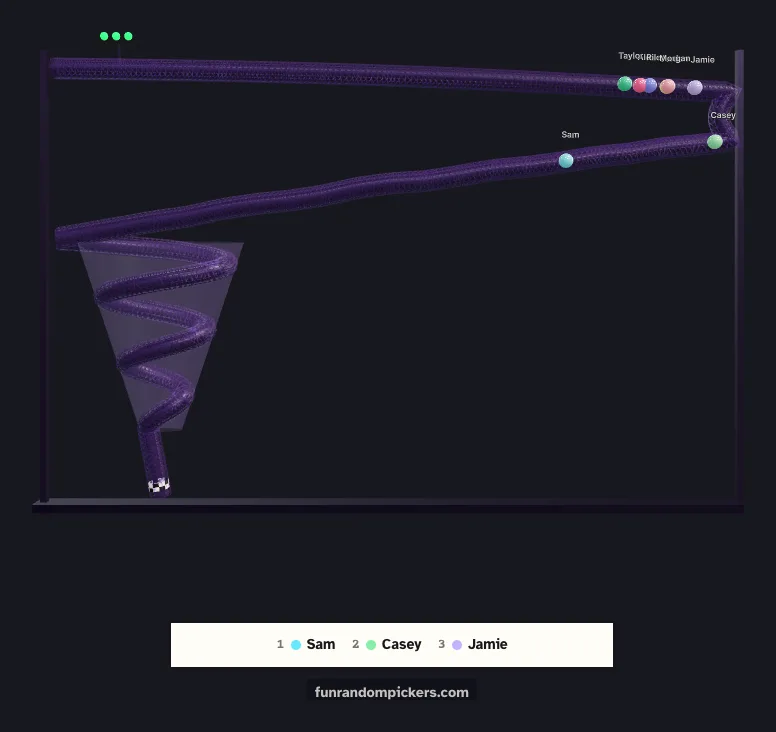
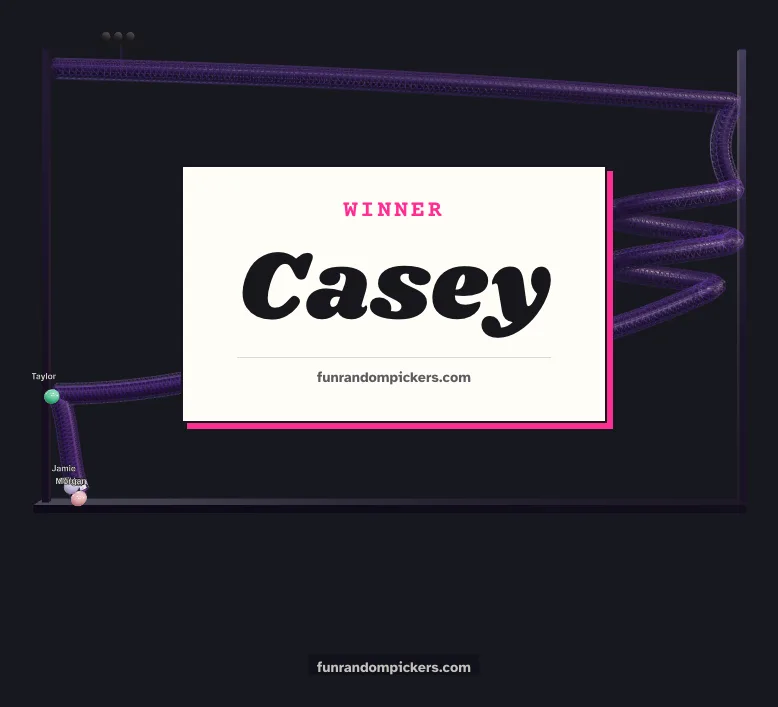
A wheel spin is over in a few seconds. A marble race gives chat something to watch: every entrant is a marble with their name on it, the pack winds down the track, and the standings under the track change as marbles pass each other. When the finish is close, the race slows into a photo finish.
It runs as a see-through overlay in OBS, so the track sits over your camera or your game with no menus or buttons around it. You start it from a control panel docked in OBS, and the winner comes up on a card big enough for chat to read.
The winner is drawn with the cryptographic random number generator built into the browser before the race starts, and the race is staged to match. Where a marble starts gives it no edge, which is what keeps the result fair, and you can say so with a straight face when chat asks.
Set Up a Race
Once, then press Start for every giveaway
- 1
Add your entrants
Open the marble race and paste the names, one per line, or paste them into the control panel later. Up to 12 marbles race at once. With more entrants than that, the winner is still drawn from everyone and races alongside 11 others picked at random.
- 2
Add it to OBS
Click Use in OBS above the race, then follow the OBS setup guide (the button at the top of this page) to add the race as a Browser Source and dock the control panel. Choose Marble race at the top of the panel.
- 3
Pick a race length
In the panel, choose Quick, Normal or Epic, then paste the new link into the source. Quick fits the whole track on screen and is over fast. Epic is a tall track the camera follows down, which suits the main giveaway of the night. Each time the source loads it lays a new track, and New track in the panel lays another between races.
- 4
Run the race
Press Start race. After the winner card, Replay the finish plays the end again in slow motion. Press Remove winner before you race for the next prize.
Recommended Tools
The best picker for each situation
Marble Race
The race is the show: a countdown at the start, live standings under the track, and a photo finish when it is close. Chat watches their own marble, which keeps them watching to the end.
Example
For a follower milestone, put the race full size in its own scene, switch to it, and press Start race. Read out the winner from the card, then replay the finish.
Spinning Wheel
For small prizes between races, the wheel is quicker and still fun to watch. It uses the same names in the same control panel, so switching costs nothing.
Example
Race for the main prize, then spin the wheel in a corner of your game scene for a few quick extras without leaving the game.
Specific Scenarios
Ready-to-use setups for common situations
Follower or subscriber milestone
Paste everyone who entered, race on an Epic track for the main prize, and replay the finish so chat sees exactly how it was won.
🏁 Best with Marble RaceSeveral prizes, one race each
Race for the top prize, press Remove winner, and race again for the next. Removed entrants are listed in the control panel, with a button to put them back if you made a mistake.
🏁 Best with Marble RaceEnd of stream draw
Use a Quick race at the end of each stream for a small reward. It is short enough to fit before the raid and still gives chat a finish to cheer.
🏁 Best with Marble RaceQuick extras during gameplay
Keep the wheel small in a corner of your game scene for small prizes, and save the race for its own scene.
🎡 Best with Spinning WheelTips & Best Practices
Get the most out of these tools
Give the race its own scene
The marbles carry their names in small type. Full size in its own scene, everyone can find their marble; tucked in a corner, the names are hard to read.
Tell chat to find their marble
The countdown before the start gives viewers a moment to spot their name. The top three show under the track for the whole race.
Replay close finishes
When the result is close, press Replay the finish in the panel (or P in the source's Interact window). The winner card steps aside while it plays and comes back after.
Quick for small prizes, Epic for the big one
A long race every time wears thin. Save the tall track for the moment that deserves it.
Why a Race Feels Fairer Than a Spin
A giveaway is only as good as chat's belief in it. When a name appears after a spin, viewers have to take the result on trust. A race lets them watch their own entry the whole way, and losing to a marble that was ahead all along feels fair in a way a wheel landing next to you does not.
The pick itself does not depend on the animation. The winner is drawn first, with the same cryptographic randomness used everywhere on this site, and the race is planned so that marble crosses the line first. That keeps the odds equal for every entrant, however the track twists.
The replay helps too. A slow-motion look at the finish settles arguments before they start, and it is good content in its own right.
Frequently Asked Questions
Everything you need to know
How many people can enter the marble race?
As many as you like. Up to 12 marbles race at once; with more entrants, the winner is drawn from everyone and races with 11 others picked at random.
Is the race random, or does physics decide?
The winner is drawn with cryptographic randomness before the race starts, and the race is staged to match. Every entrant has the same chance, whatever the track looks like.
Can viewers see their own marble?
Yes. Each marble has its own colour and carries its name, and the top three show under the track as the race goes on.
Can I replay the finish?
Yes. Press Replay the finish in the control panel, press P in the source's Interact window, or send the frp-replay event from a Stream Deck.
Can I change the track between races?
Yes. Press New track in the control panel, press N in the source's Interact window, or send the frp-newtrack event from a Stream Deck. The race length stays the same.
Ready to try it?
Free, instant, and works on any device. No sign-up needed.